

QuadToneProfiler-Pro DN
for macOS
A native macOS inkjet negative profiling application
for even greater printer and ink set customization when using QuadToneRIP
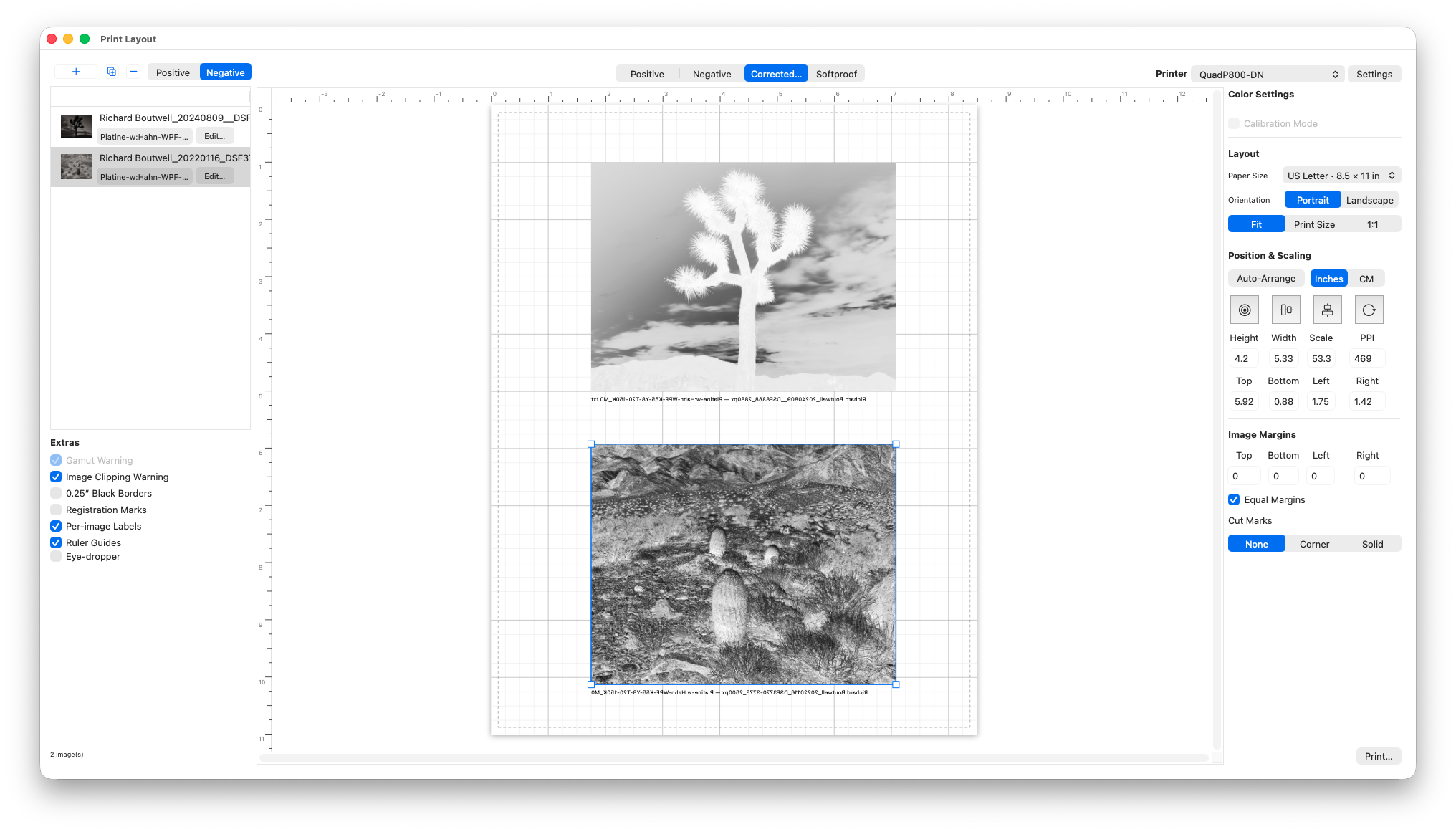
FULLY INTEGRATED PRINTING
Version 4 adds in-app printing with multi-image layout with a new correction and soft proof profile applied to your positive image. The new image editor allows you to fine tune individual images based on your soft proof profile without going back to Lightroom or Photoshop.
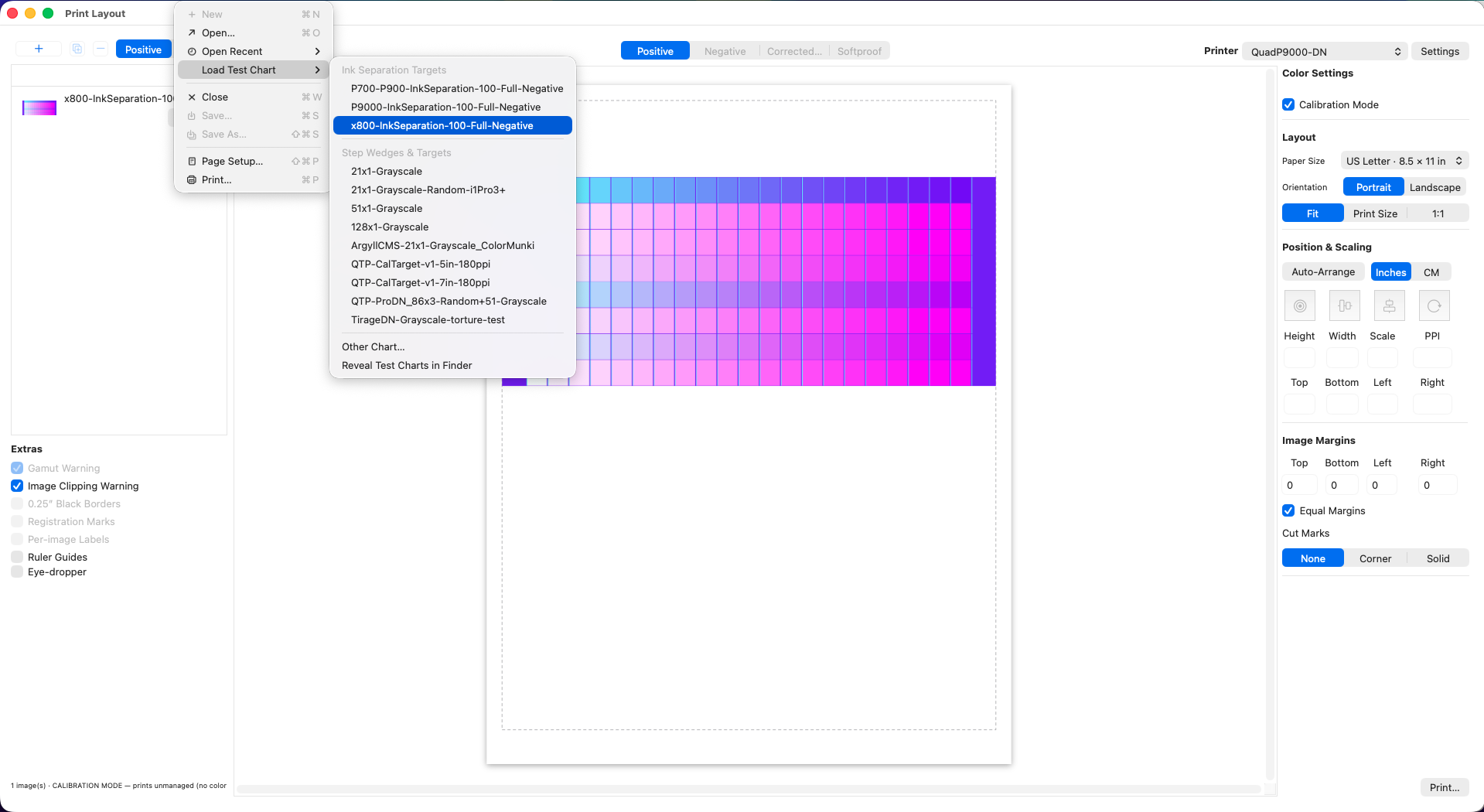
Includes full support for non-color managed QTR Calibration Mode. Includes built-in ink separation negatives for 8 and 10 ink printers, the default images that come with QuadToneRIP, or custom ink separation images made in the TargetGenerator app.
Includes updated test chart designed for smoothing out digital hand
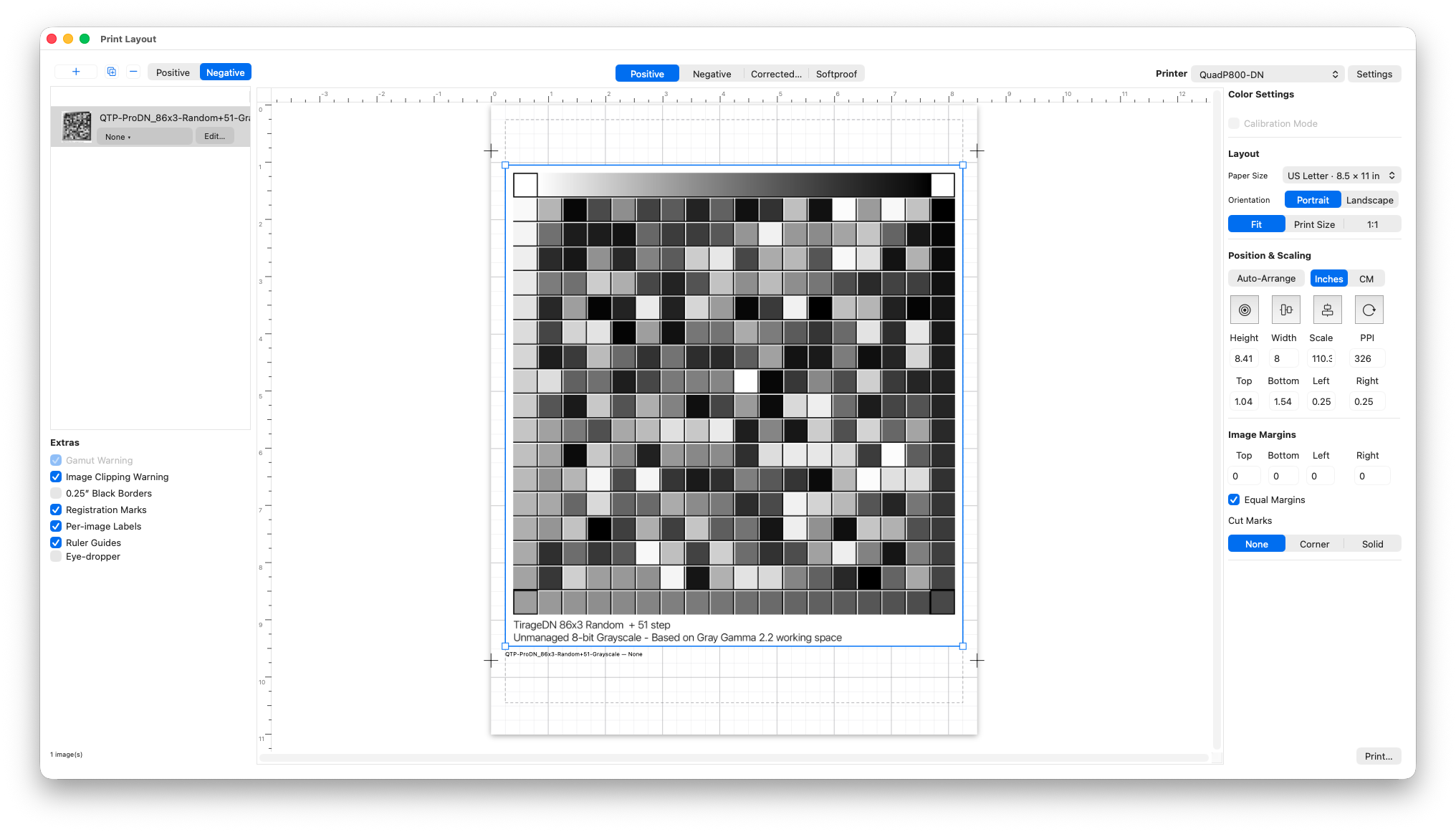
Measurement Chart Reader
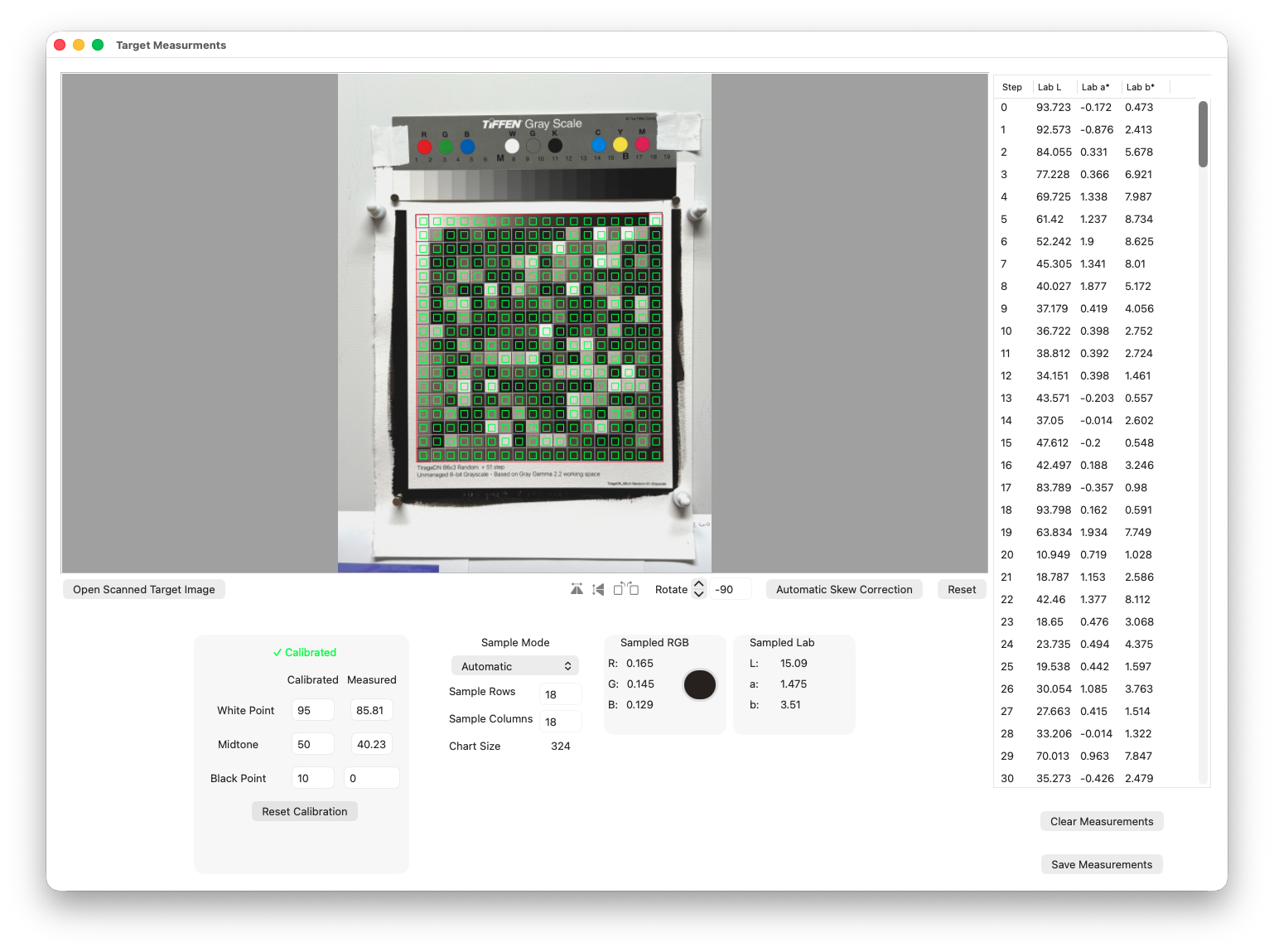
Automatically record measurements from a scanned or photographed test chart. The new built-in 86x3 randomized target was optimized for digital camera measurements to compensate for slightly uneven lighting conditions. (for best results, use the built-in calibration step with a standard Kodak or Tiffen Q-13 grayscale target).
New Starter Curve Setup and Full Photogravure Support
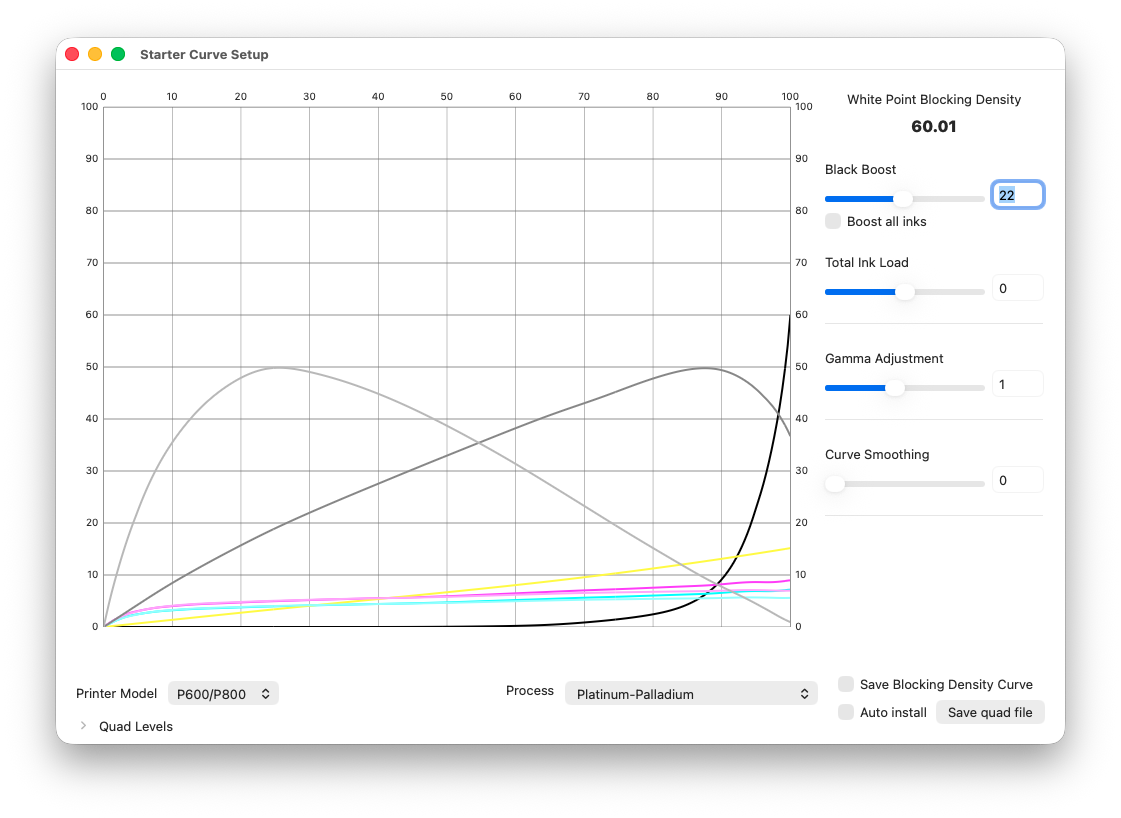
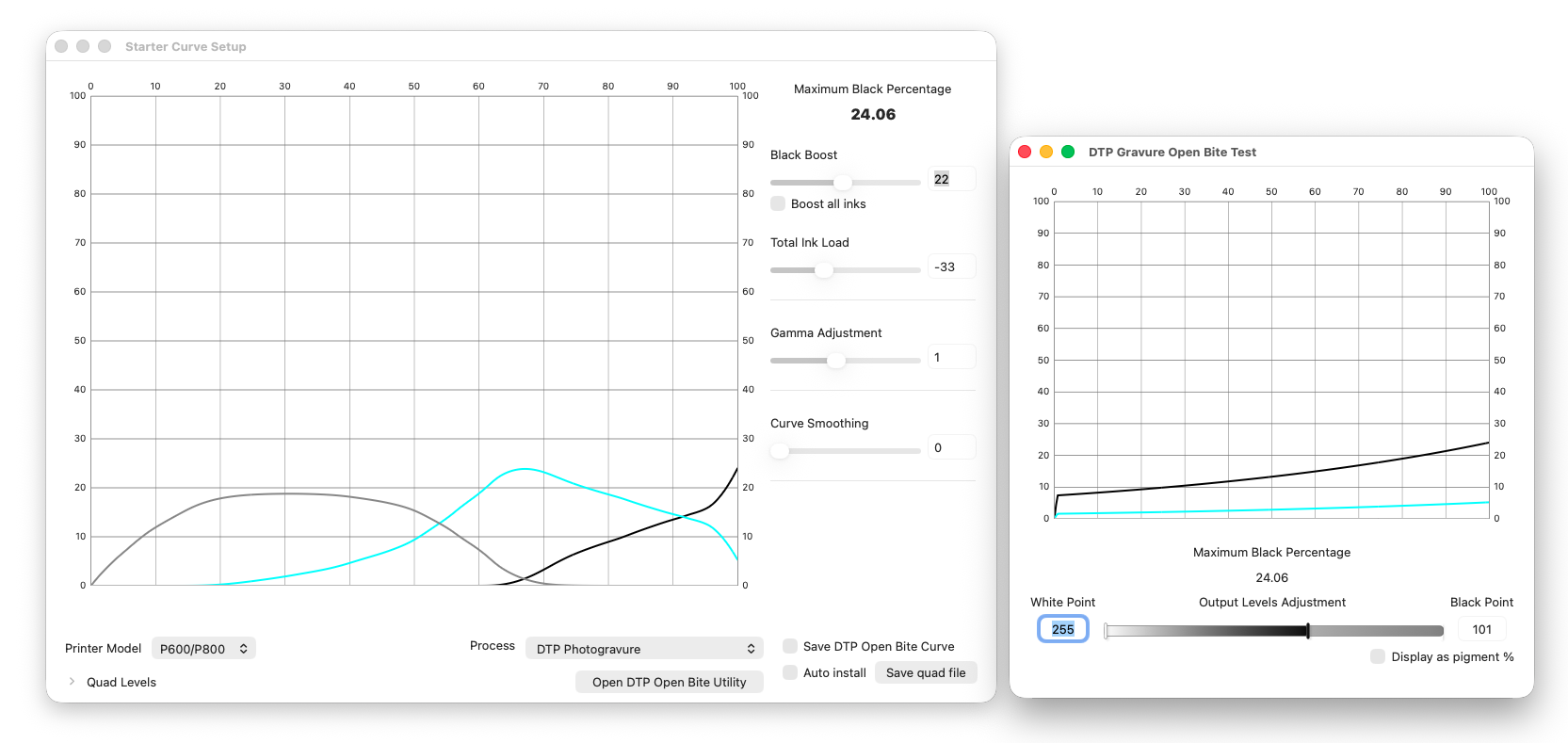
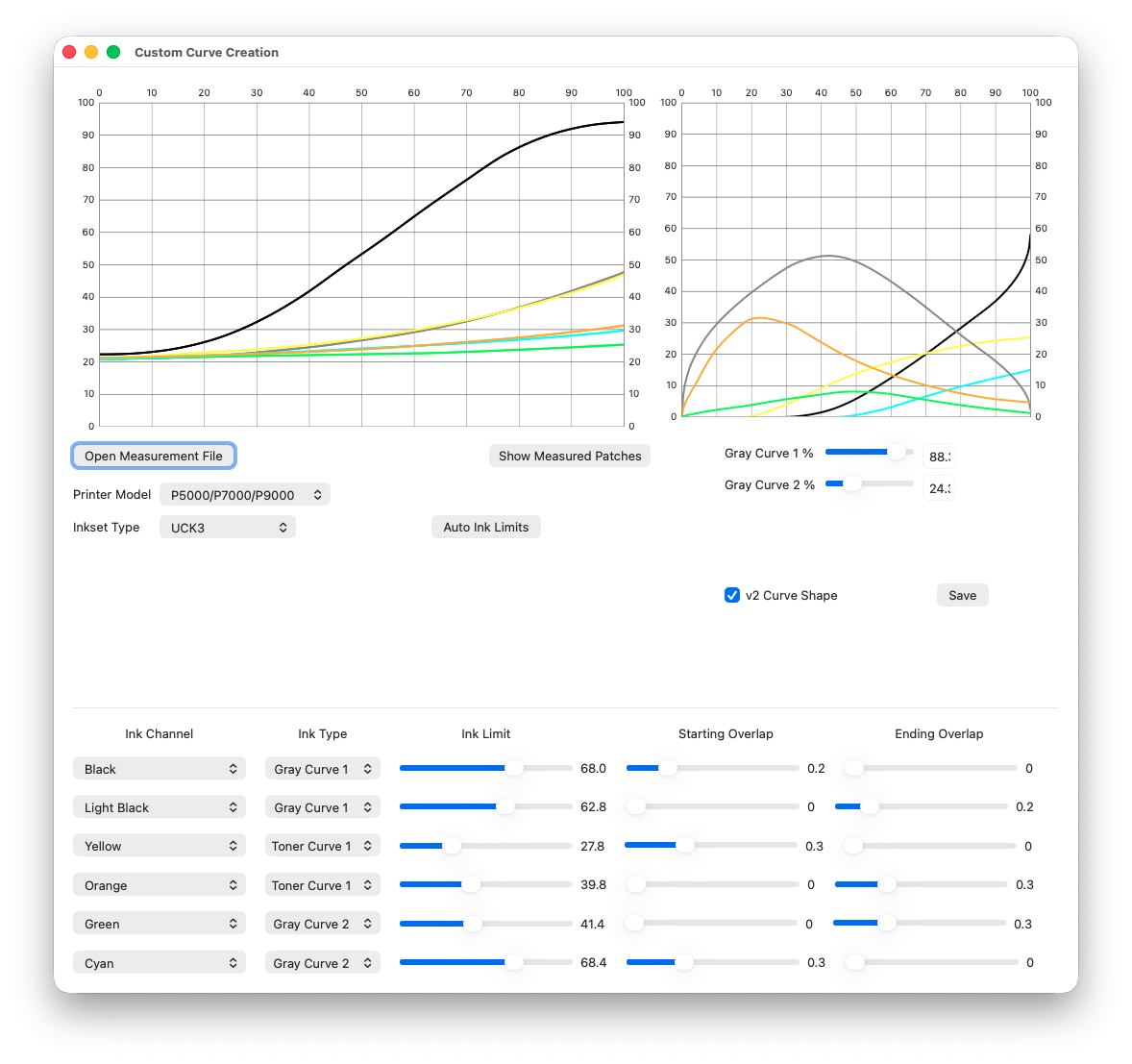
Edit ink limits and starting and ending overlaps for each ink channel for multiple overlapping gray and color ink ramps
New Custom Curve Creation Program
Updated custom curve creation system that allow for blending 2 separate sets of gray curves, and up to 3 toner curves for faster curve creation
New curve creation algorithm for smoother overlaps and less manual editing before saving the initial curve.
Control ink limits and starting and ending overlaps on a channel-by-channel basis.
Automatic correction from measurements of the ink separation image.
Updated v4 real-time partitioning, correcting, and balancing the inks when updating the limits or overlaps.
Intuitive graphs and color samples for previewing the ink limits and graphs of the partitioned quad curves.
Use a powerful custom curve editor to further reshape and smooth each channel.
Add and shape additional ink channels not included in gray curve partitions.
Apply a gamma and boost adjustment before saving the final starter curve for the linearization steps.
Create a dual-quad curve from one ink separation negative measurement file
Manually edit each channel with an updated intuitive curves interface and change the total ink boost or brightness in the darkroom print with a gamma control
New Linearization Features
The linearization system has been completely rewritten to allow for greater insight and control of measurements and correction curves. New color previews and CIELab readouts show the original and corrected output with sample patches and previews using your own images. The linearization tools will also let you save .acv curves and .cube color LUT files for use with Photoshop adjustment layers when you can’t print with QuadToneRIP or when sending files to a service bureau.
The manual output curve controls now work just like a curve adjustment in an image editor to fine tune final tonality in the final print. Additionally, the new manual curve controls can now allow you to make separate curves for duotone and multiple-layer processes like gum or cyanotype over palladium, or multi-layer carbon transfer prints.
New Linearization system with panels to preview the measured and corrected ink, the manual curve control editor, and previewing the color and tone using one of your own images
The Linearization screen has new options for finding, editing, sorting, smoothing, and correcting measurement or coating errors for even better results in your final prints.
Spot Color Tone Value correction is now one of the output curve types so all corrections are done in a single screen.
New Quad Curve Blending
Blend up to three quad curve files together with an intuitive curves interface that can be used for adding additional blocking colors, blending dual tri/quad/quint ink sets, or curves linearized at different printing times. This is really useful for achieving even more overlap from adjacent shades for even smoother final prints
Integrated Quad Editor and Quad Levels Tools
Edit each ink channel individually to fine tune the smoothness, the overall shape, and the additional overlap as needed. The boost and gamma controls can be useful for lightening or darkening the final print when applying multiple coatings or printings from separation negatives.
A levels adjustment for quad files that will remap the ink load between new input and output points. This is useful for processes that don’t need as much ink to block the highlights or you need to move more ink into the shadows, but not increase or change the overall ink load.
PURCHASE
Requirements
macOS High Sierra (10.13)
Any Epson Printer supported by QuadToneRIP
QuadTone RIP to serve as the print driver for macOS
PrintTool (on macOS) for printing the calibration images without color management and easier printing in general
A measurement device and software
Supported Printers
Any QuadToneRIP-supported Epson printer and ink set (OEM or Custom)
Supported Measurement Devices
i1 Pro rev D,E,F with i1Profiler, ArgyllCMS
DTP-70 and SpectroScan automated chart readers with ColorPort
ColorMunki or i1 Studio with ArgyllCMS
SpyderPrint
Manual densitometers
Reflective flatbed scans using QuadToneRIP StepWedge Tool (with recommended Kodak/Tiffen Q13 grayscale calibration target)
Supported Measurement file formats
CGATS .txt
ArgyllCMS .ti3
SpyderPrint .txt
ColorMunki .csv
QTR-Linearize Data -out.txt
DataTool .txt
Single Column logD density measurements